
How to save Google Maps To your Phone
In this day and age, you won’t need to rent a Tom-Tom or GPS: you can save Google Maps straight to your phone for use without data! (Provided you have some spare room, of course.)
Simply follow these three steps.
1. Download Google Maps if you haven’t already from the App Store.
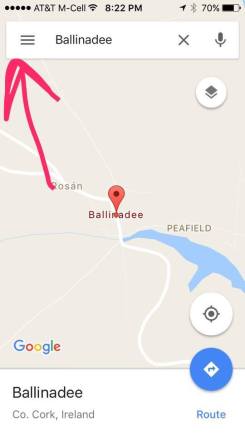
2. Click on the “Menu” button. (The three bars)
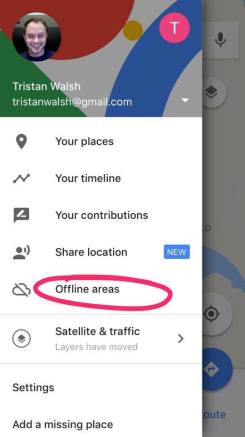
3. Tap on “Offline Areas”
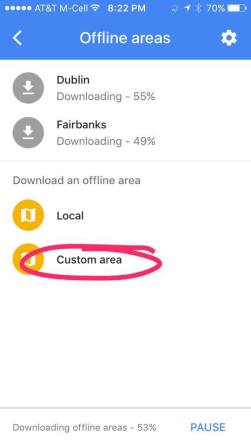
4. Tap “Custom Area”:
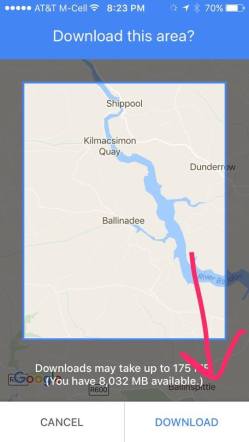
5. Zoom the map around to the area of the country you’d like to save-say the City of Dublin or the area btwn Cork and Ballinadee. Then, tap the “Download” button! This will save the entire area of your screen as a map. You’ll be able to use this for general directions via car, but not for public transit or cycling, as that generally relies on real time data from Google.
 Walsh Family Reunion 2017: Ballinadee, Ireland